Instrument or analysis exports can accumulate several files called results.csv in a day. Months later, it is the experiment log that explains the conditions and sample handling. A stable filename can point back to that record without trying to reproduce the entire experiment in a name.
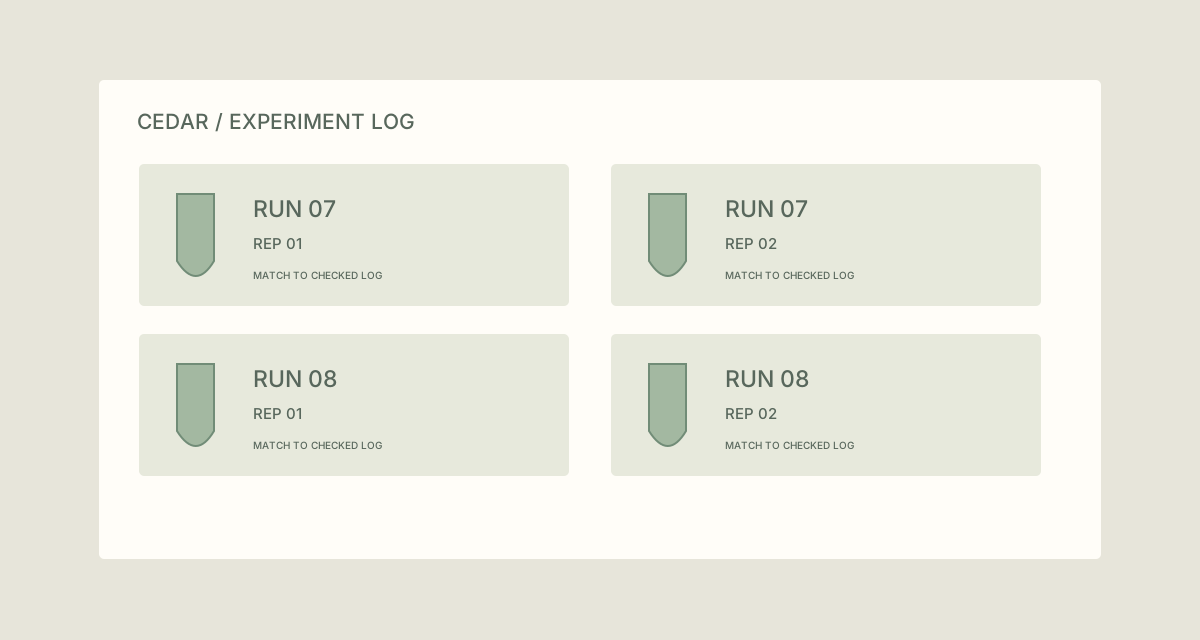
Name copied CSV exports from a fictional Cedar experiment using checked run and replicate identifiers. Run07 and Run08 each have two replicate exports.
TreatFiles does not validate experimental design, identify samples or interpret measurement values. The identifiers come from the checked run log.
What the names need to say
Use stable identifiers already defined in the experiment record. Run and replicate labels should have a consistent meaning across the dataset. Keep detailed conditions in the log rather than making filenames so long that they are difficult to compare.
Experiment_Run_Replicate| Original filename | Proposed filename |
|---|---|
results.csv | CEDAR_Run07_Rep01.csv |
results (1).csv | CEDAR_Run07_Rep02.csv |
test-output.csv | CEDAR_Run08_Rep01.csv |
results-new.csv | CEDAR_Run08_Rep02.csv |
The examples show complete filenames. In TreatFiles’ New File/Folder Name column, normally enter the base name only; the extension is stored separately.
Connect the export to the run record
Match exports to the run log
Record which original filename belongs to which run and replicate. Work on copied exports, leaving instrument-managed or analysis-managed source locations unchanged.
Export the file list in Rename mode
List the copied CSV folder in TreatFiles and create an XLSX or CSV naming export.
Enter the checked identifiers
Populate New File/Folder Name using the experiment, run and replicate codes. Keep fixed-width labels where they improve sorting.
Resolve missing or ambiguous mappings
Do not assign a replicate number because a file happens to appear second in the folder. Resolve uncertainty using the experiment record before naming it.
Rename and retain the cross-reference
Import the edited list, review the mapping and apply the rename. Keep the mapping with the run record and check any analysis scripts intentionally using the copied files.
If you need the application controls alongside the example, keep the TreatFiles renaming guide or FAQ and user guide open as a reference.
Related tasks: dataset exports and project handovers.
The exceptions matter
A name is not a provenance record
Retain the experiment log and source-to-export mapping needed to interpret the data.
Replicate and sample are different concepts
Use the labels defined by the experiment rather than borrowing terms that imply a different relationship.
Scripts can depend on the old paths
Update and verify references for copied datasets deliberately; do not rename live analysis inputs without checking.
A sample to work from
The Research run exports tab in this workbook contains the example above. Adapt the idea to your own files, or share it with the people who agree your naming convention.
Download the sample workbook (.xlsx) ↓This is a planning worksheet, not a TreatFiles import file. Generate a rename-ready export in the app, then put your chosen base names into its New File/Folder Name column.
Questions you might have
Can TreatFiles infer a run from measurement values?
The example uses a checked run log, not content-based identification.
Is this naming pattern a research standard?
No. It is a fictional example; use identifiers and requirements appropriate to the actual project.
Should conditions be encoded in every name?
A stable identifier linked to a complete record is often easier to maintain. Choose the convention with the people who will interpret the dataset.
About the tool used here. TreatFiles lists files, exports them to a spreadsheet, and applies the names you prepare. Explore TreatFiles or find it on Microsoft Store ↗.